ShopfloorMicrosoft Excel Desktop (Windows)Version 1.0.1English

Shopfloor Management System

Daily SQCDP board, OEE and losses, actions and shift comparison from one daily log. A daily management system for one area or plant.

€19.90

Buy now

Not tested on Mac, Excel for the web or Google Sheets.

You choose the workbook language on the download page after payment.

What it does

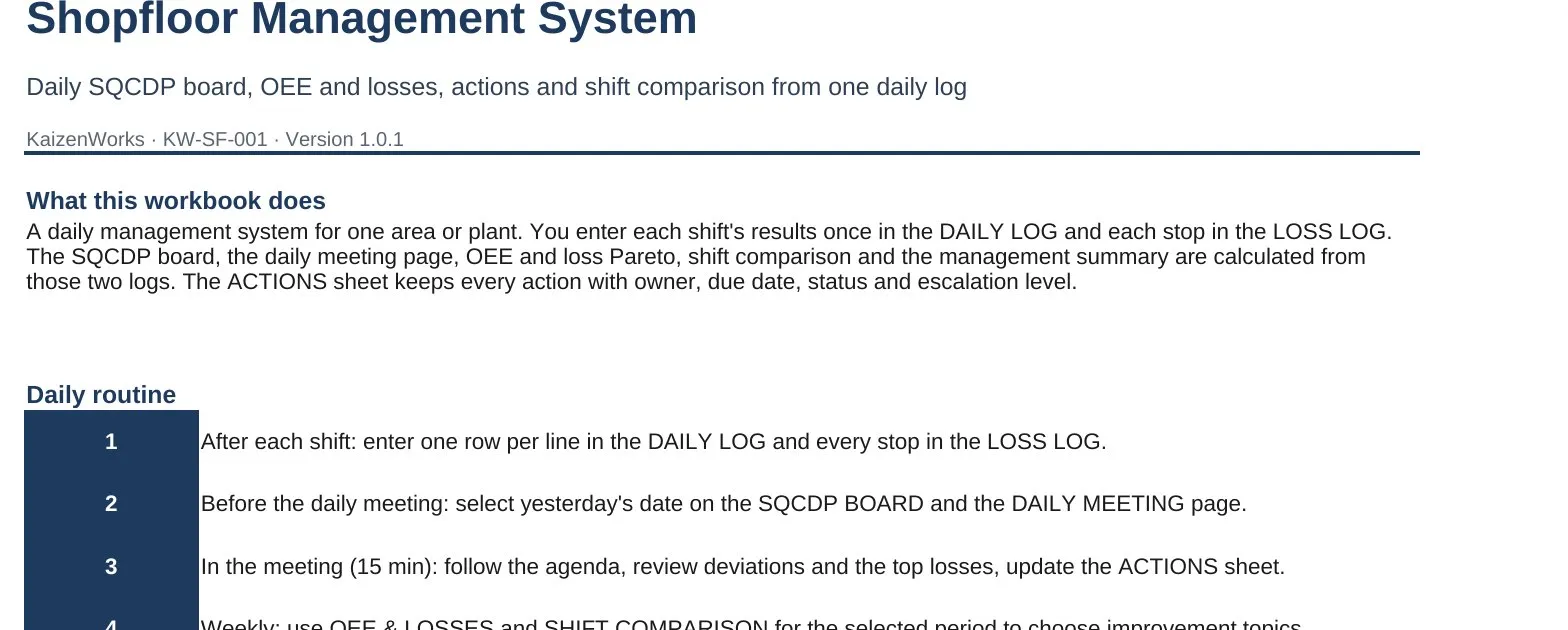
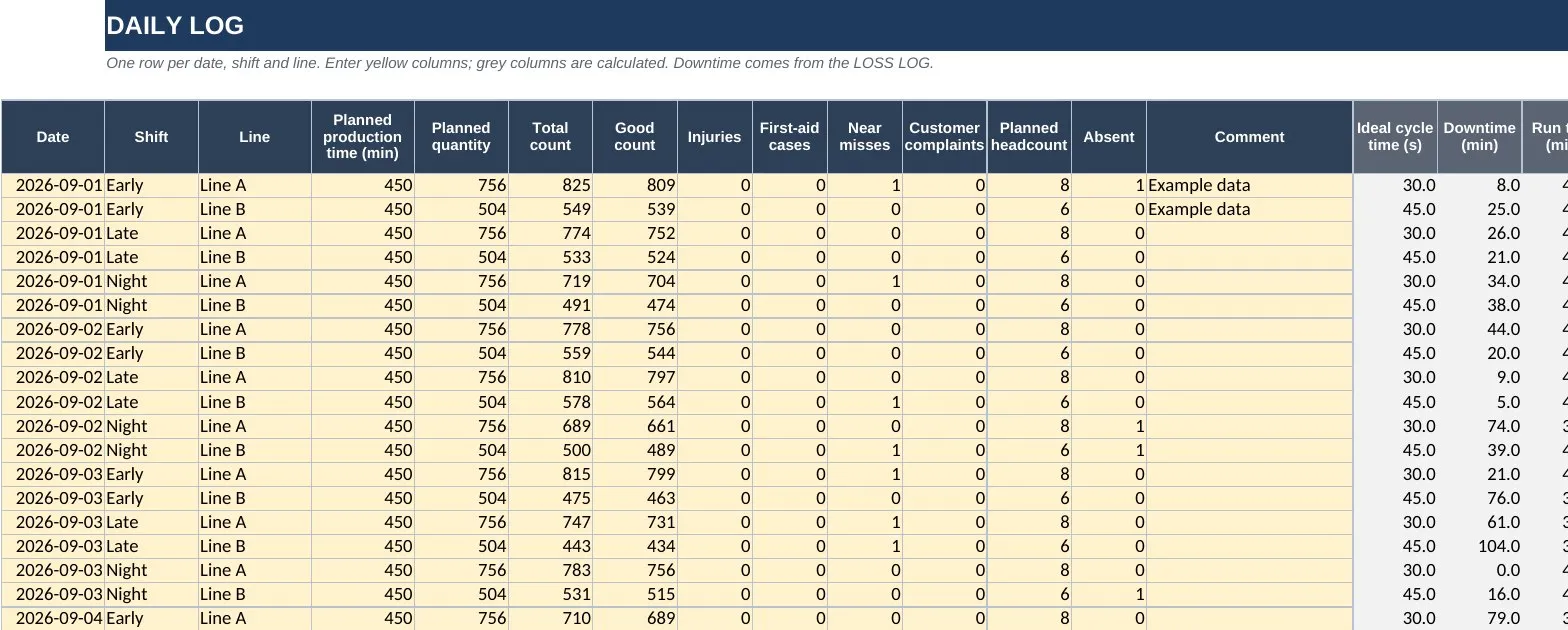
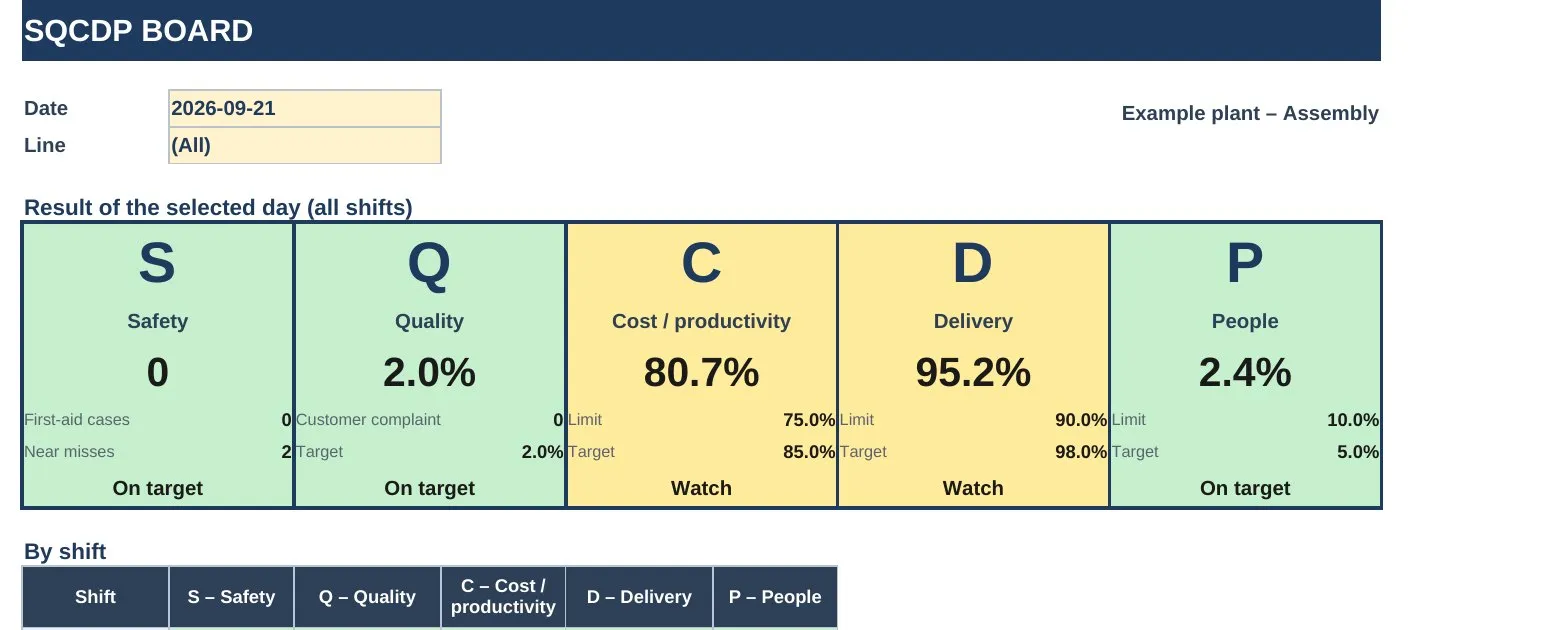
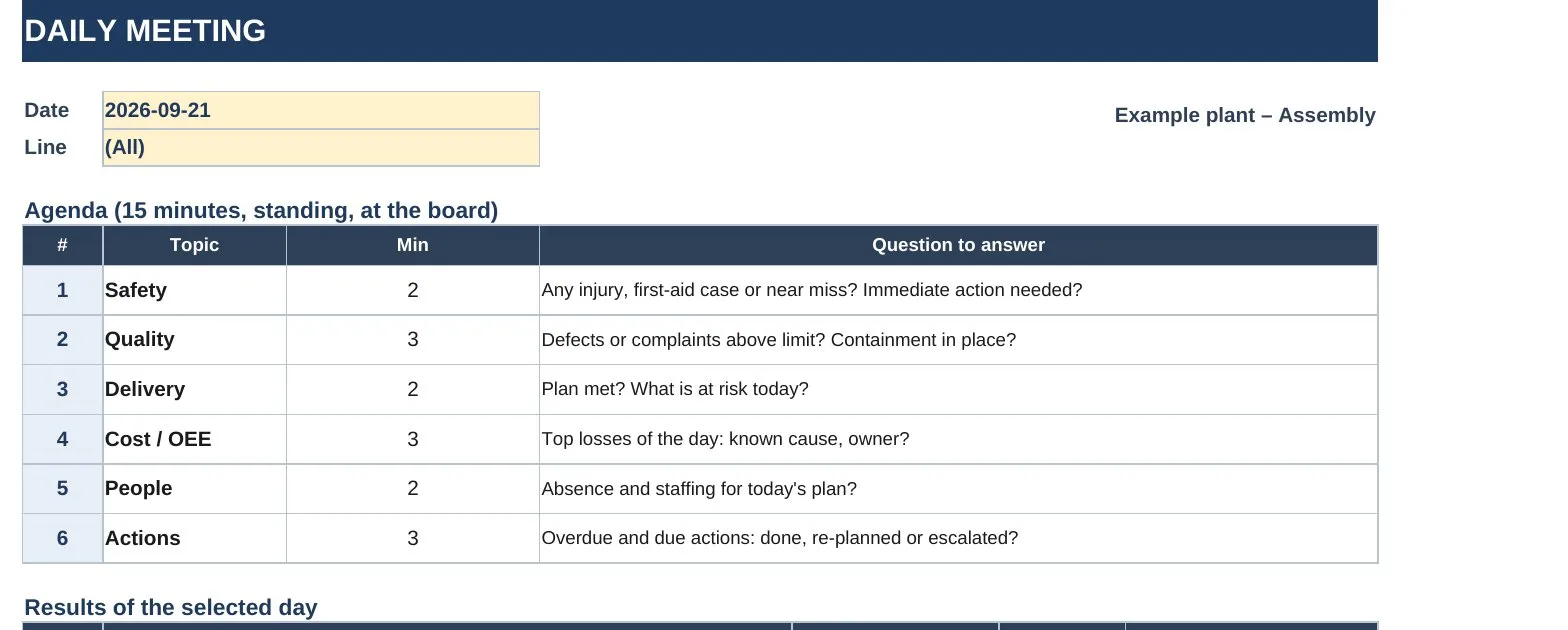
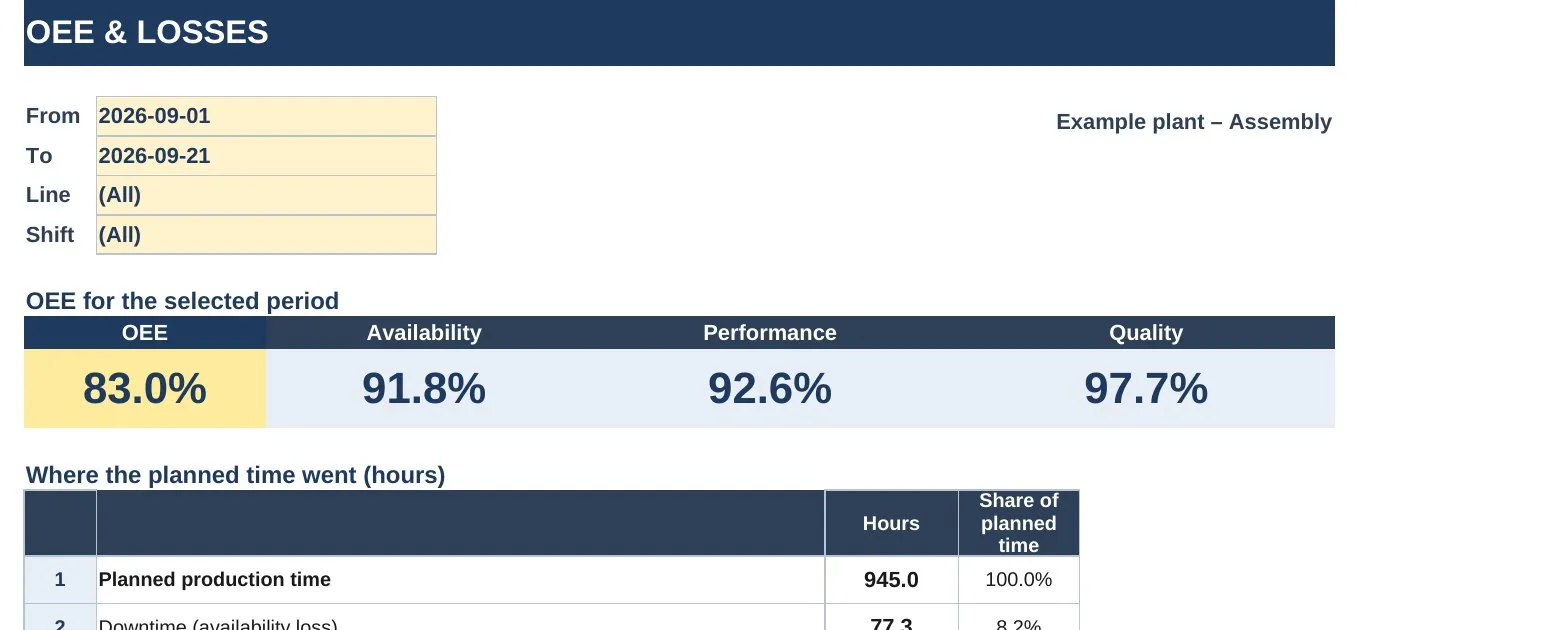
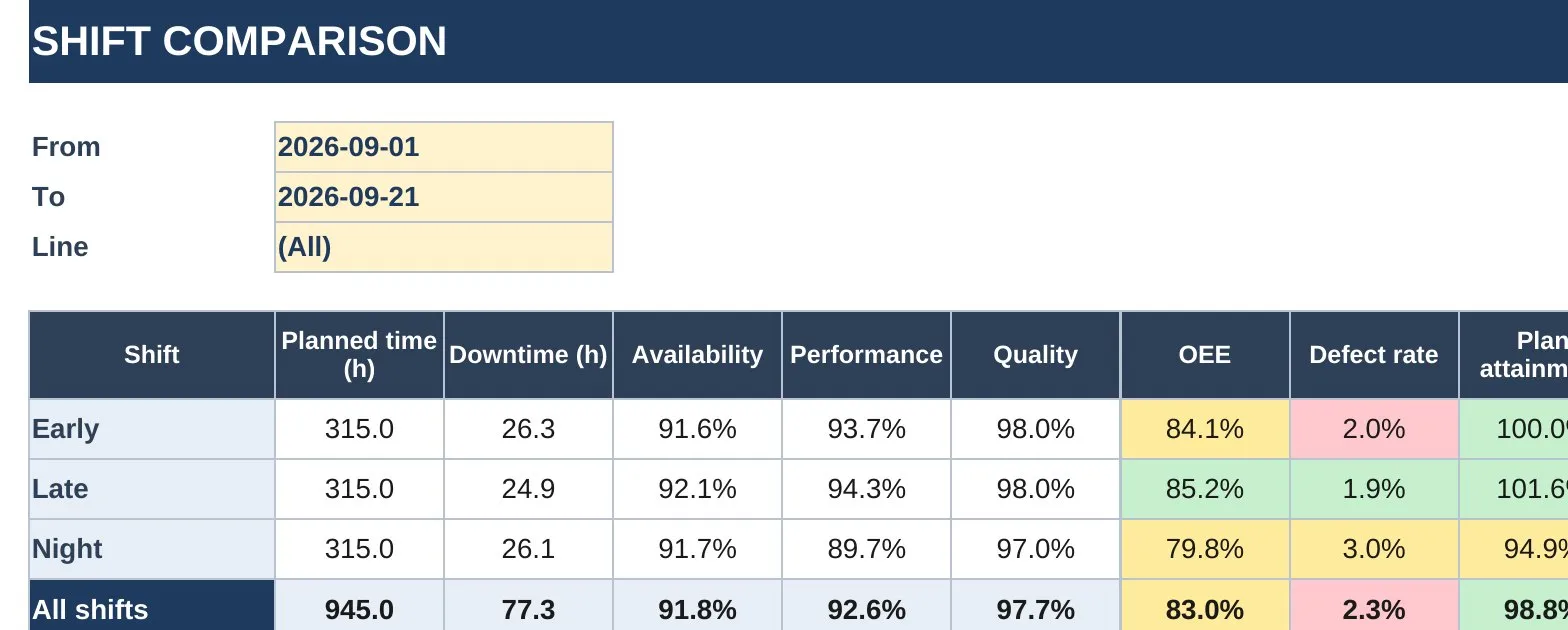
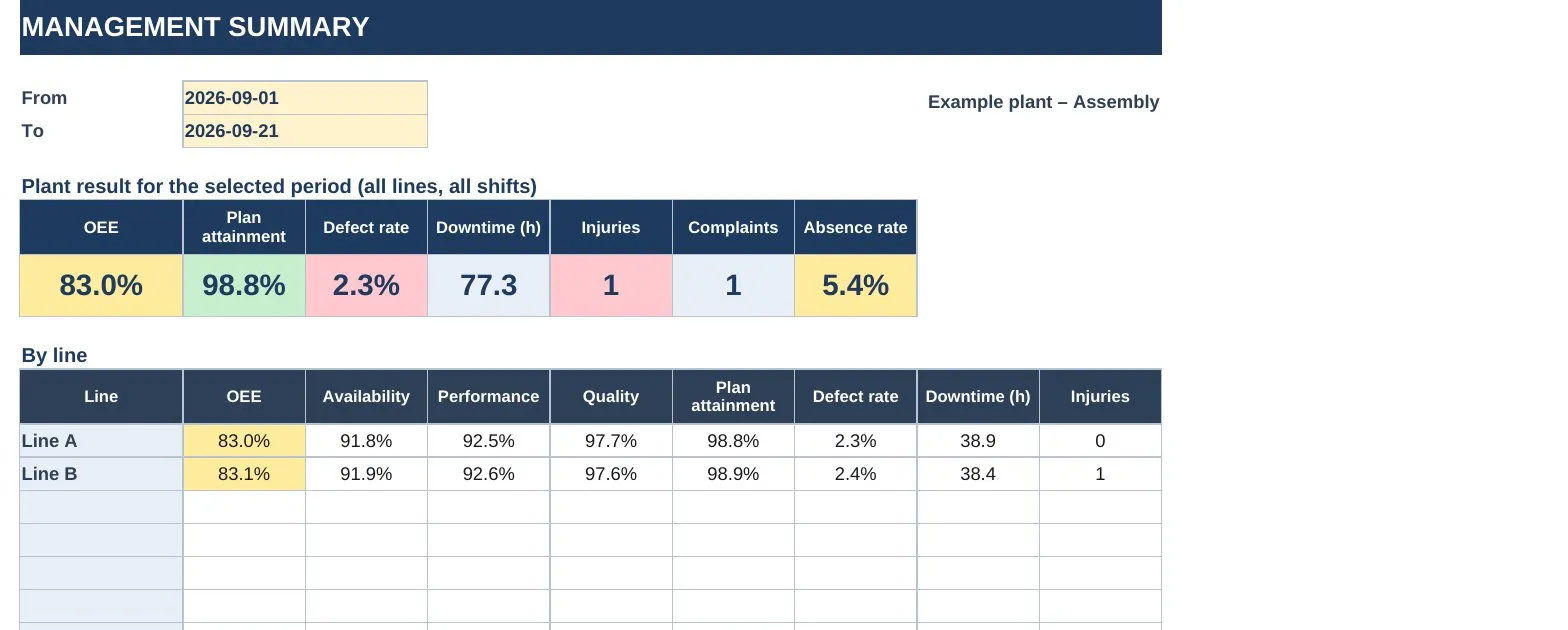
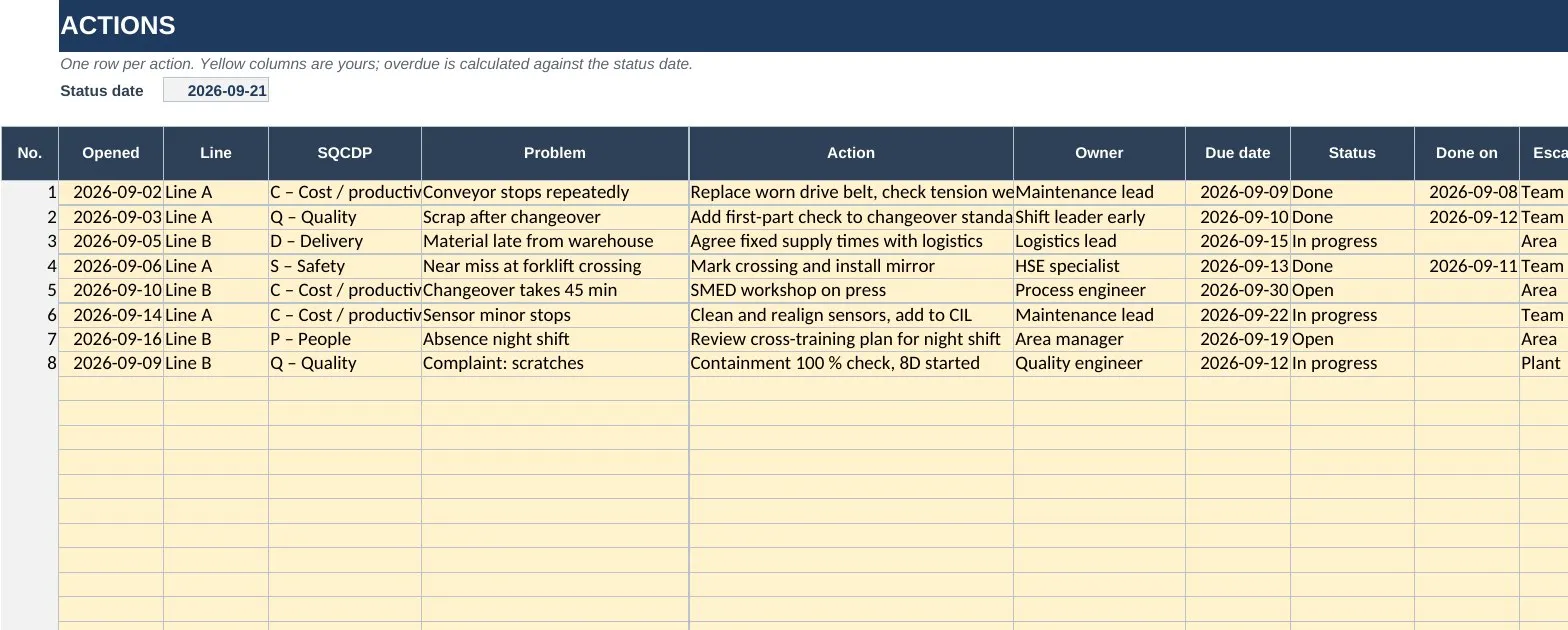
A daily management system for one area or plant. You enter each shift's results once in the DAILY LOG and each stop in the LOSS LOG. The SQCDP board, the daily meeting page, OEE and loss Pareto, shift comparison and the management summary are calculated from those two logs. The ACTIONS sheet keeps every action with owner, due date, status and escalation level.

Key features

  • Sheets: START, DAILY LOG, LOSS LOG, ACTIONS, SQCDP BOARD, DAILY MEETING, OEE & LOSSES, SHIFT COMPARISON, SUMMARY, SETUP
  • Capacity: 1,000 daily log rows, 3,000 loss entries, 300 actions, 10 lines, 3 shifts, 20 loss types.

What's included

1 Excel workbook (KW-SF-001-EN-GEN-KIT_Shopfloor-Management-System_v1.0.1.xlsx, English) and 3 text files (LICENSE_EN.txt, CHANGELOG_EN.txt, SUPPORT_EN.txt) in one folder.

  • KW-SF-001-EN-GEN-KIT_Shopfloor-Management-System_v1.0.1.xlsx
  • LICENSE_EN.txt
  • CHANGELOG_EN.txt
  • SUPPORT_EN.txt

How it works

  1. After each shift: enter one row per line in the DAILY LOG and every stop in the LOSS LOG.
  2. Before the daily meeting: select yesterday's date on the SQCDP BOARD and the DAILY MEETING page.
  3. In the meeting (15 min): follow the agenda, review deviations and the top losses, update the ACTIONS sheet.
  4. Weekly: use OEE & LOSSES and SHIFT COMPARISON for the selected period to choose improvement topics.
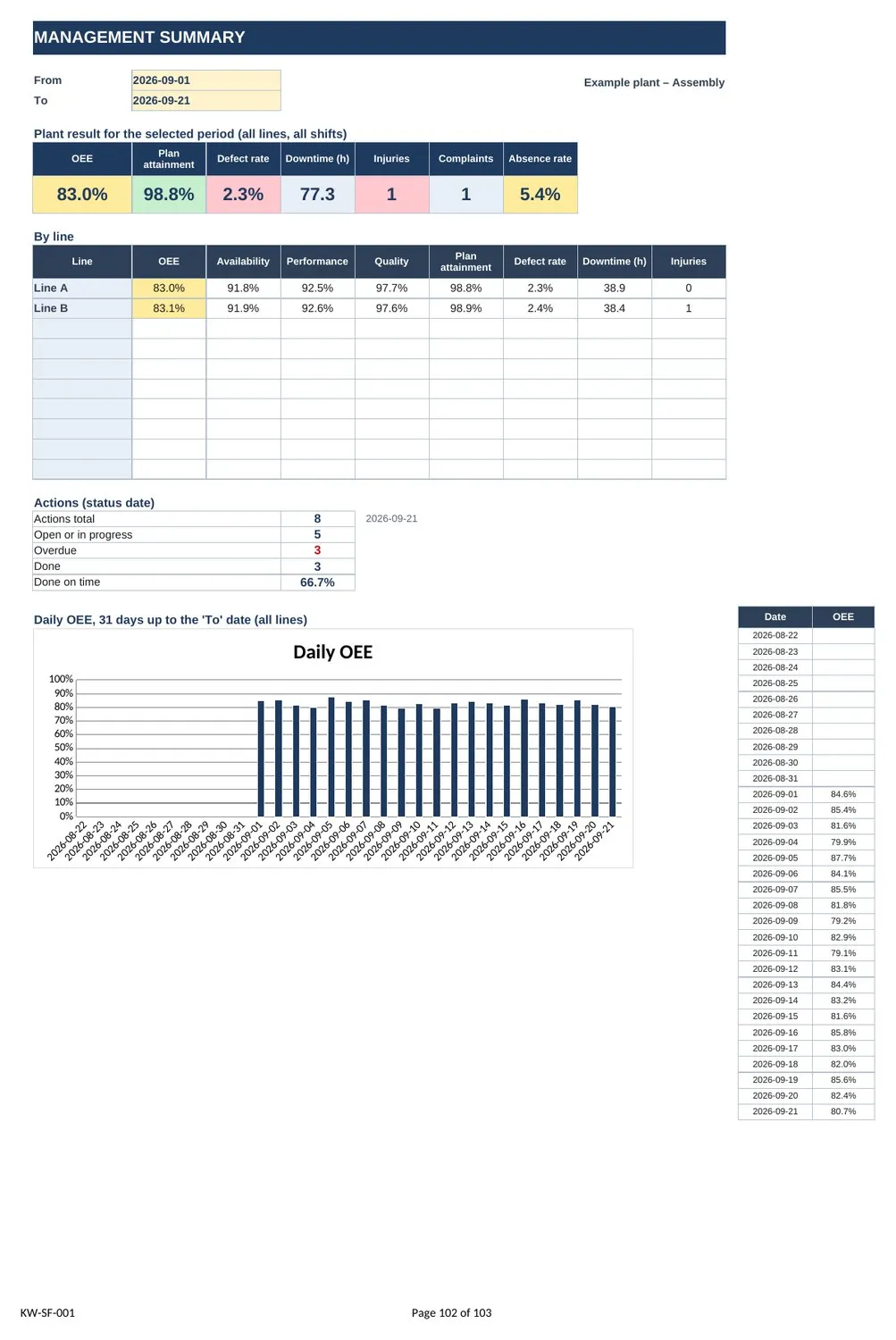
  5. Monthly: the SUMMARY shows plant results by line, the daily OEE trend and the action status.

First use and example data

  • In SETUP, enter your lines with their ideal cycle time, your shift names, your loss list and the SQCDP targets.
  • The workbook contains fictitious example data (21 days, 2 lines, 3 shifts). Delete the example rows in DAILY LOG, LOSS LOG and ACTIONS (select the yellow cells, press Delete) and clear the status date in SETUP.

Technical information and compatibility

Target environment: Microsoft Excel Desktop on Windows. No macros, no internet connection. Sheets are protected without a password so that formulas are not overwritten by accident (Review > Unprotect Sheet).

Not tested on Mac, Excel for the web or Google Sheets.

Capacity: 1,000 daily log rows, 3,000 loss entries, 300 actions, 10 lines, 3 shifts, 20 loss types.

Notes on use and calculation

  • Rates are calculated from summed components (for example OEE = sum of good count × ideal cycle time ÷ sum of planned production time), never as averages of percentages.
  • Planned production time excludes planned breaks and planned stops. Every stop in the LOSS LOG counts as downtime except the category 'Minor stops / speed loss', which is part of the performance loss.
  • Targets are your own settings in SETUP. The workbook gives no benchmark values.
  • For KPI definitions and variants, KW-KPI-001 (Manufacturing KPI Library) uses the same definitions for OEE and its factors.

File format and delivery

Digital download (ZIP). No physical item is shipped.

Licence

One site, internal use; unlimited users at that site; no redistribution or resale.

Support

For support, please use the messaging function of the shop where you purchased this product.

Typical situations

What you can use it for

Use it to run the shift handover and the daily meeting from facts instead of memory.

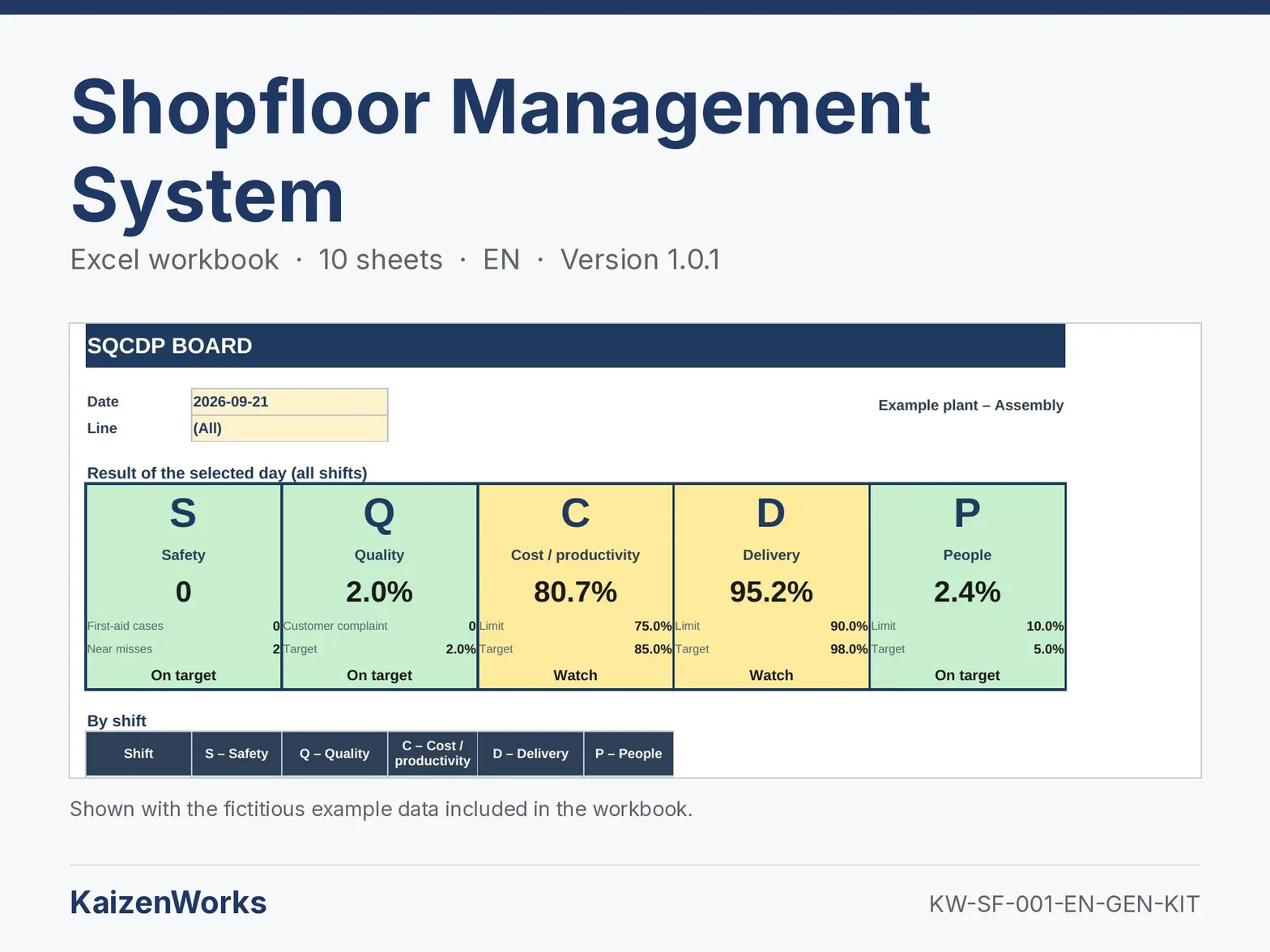
  • SQCDP board

    Safety, quality, cost, delivery and people status per day, line and shift.

  • OEE and losses

    Log stops once and get a loss Pareto that shows the biggest levers.

  • Daily meeting

    One page for the stand-up: yesterday’s result, losses and open actions.

  • Shift comparison

    Compare shifts on the same basis and find what differs – not who to blame.

Typical outputs

  • SQCDP board with status per topic
  • OEE and loss Pareto
  • Daily meeting page and management summary
Shopfloor Management System – SQCDP BOARD
Example of a finished view: SQCDP BOARD

How it works in practice

  1. 1EnterYour data goes into the yellow input cells.
  2. 2CalculateFormulas, charts and checks update by themselves.
  3. 3ReviewRead the result in the meeting or print it.
  4. 4ActTurn findings into actions with owner and date.

Related products

  • Microsoft Excel Desktop (Windows)English

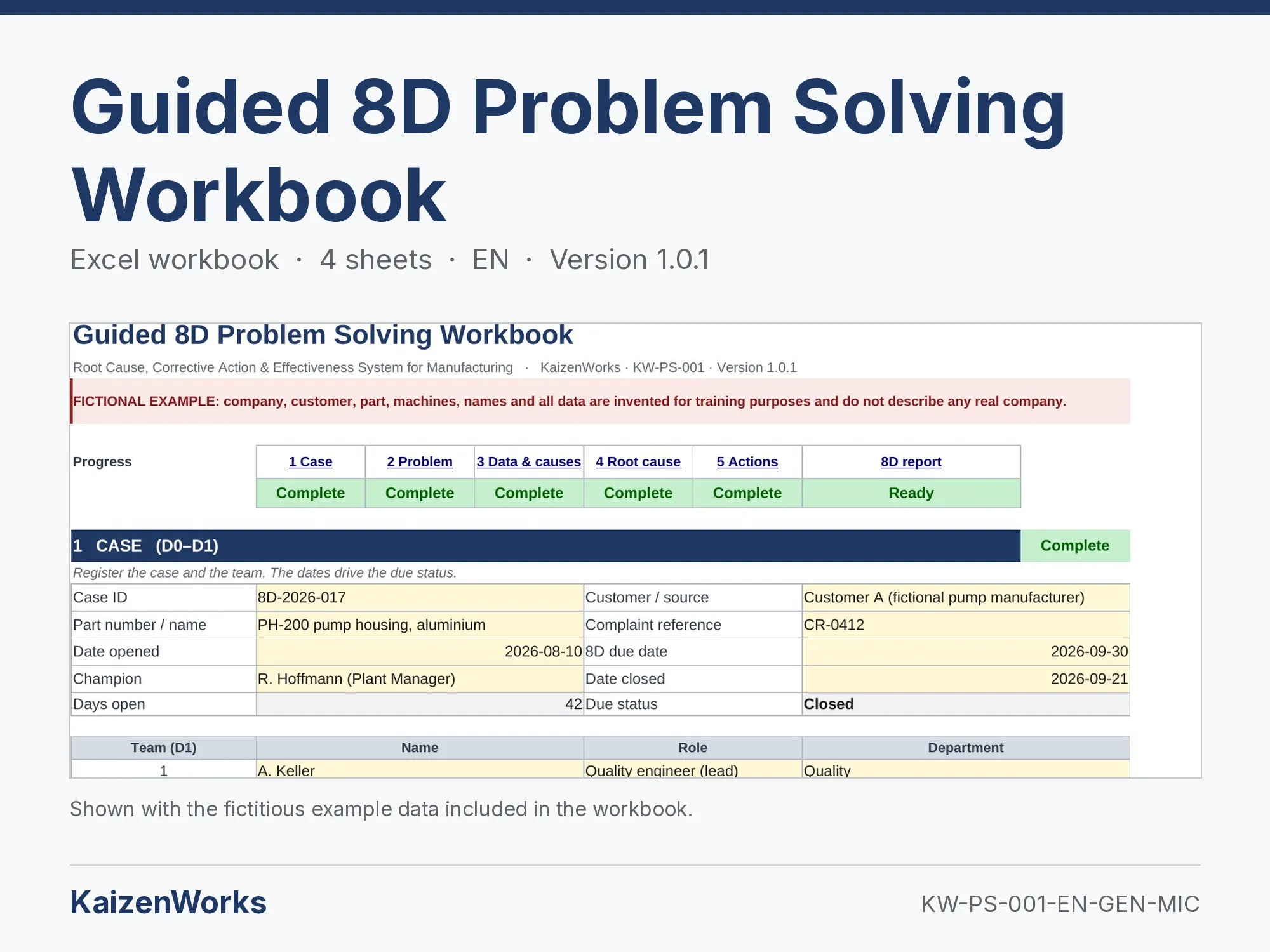
    Guided 8D Problem Solving Workbook

    Root Cause, Corrective Action & Effectiveness System for Manufacturing. It guides you through a structured 8D problem-solving case: from a factual problem definition and containment, through data, possible causes and evidence, to a verified root cause, corrective actions, an effectiveness check and a printable 8D report.

    €14.90Buy now
  • Microsoft Excel Desktop (Windows)English

    SMED Changeover Analysis Workbook

    Record a changeover step by step, separate internal and external work, quantify the reduction potential and prove the result. A practical SMED study for one changeover.

    €19.90Buy now